On December 9, SMPH IIT launched a unified IT Ticketing system school wide! Almost 2 months after that launch, here are the most frequently asked questions, and solutions from the Navigator team.
Have a question that is not listed here?
Q: Why am I not seeing my department in the General Request Form
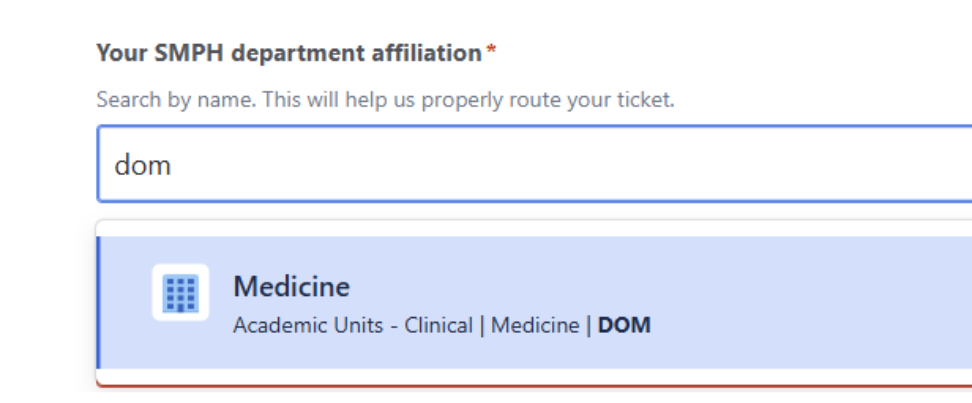
A: The best way to find your department is to type in the bar, as your department may not initially populate in the list.
E.G. start typing DOM and select “Clinical | Medicine | DOM”
**Note that these departments align with the new Workday cost center departments. You can find your affiliation in Workday, by going to Profile > Job > Organizations and find “Cost Center Hierarchy” in the table.
Q: Where do I find my previous/ongoing/past Navigator requests?
A: You may need to turn off filters to see all your requests
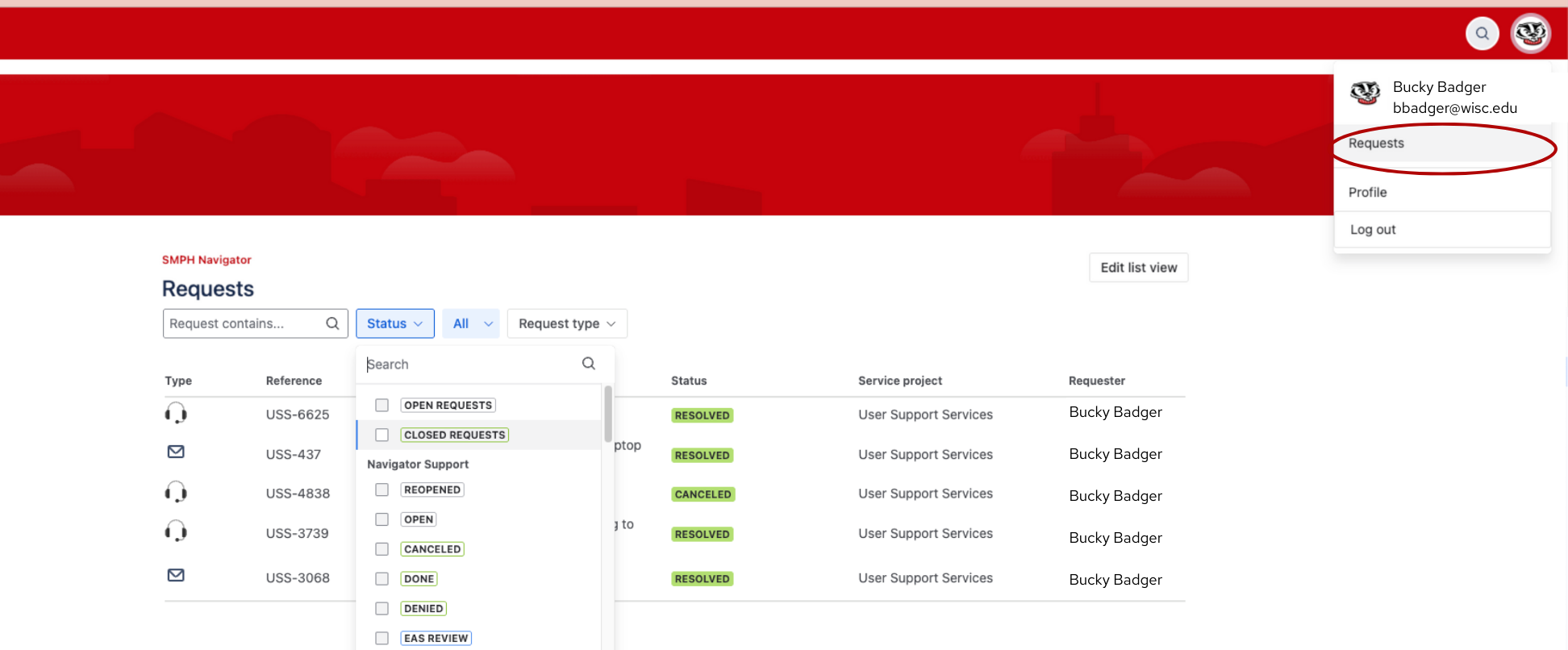
Here are the steps you should follow:
-
- Login to the Navigator Portal (navigator.med.wisc.edu) with your primary email
- Top right click on your picture or initials (in the top right corner)
- Select “Requests”
- Go to the Status/Open Requests box
- Click the down arrow
- Check box for Closed Requests
- This setting will show all of your requests Open and Closed
Q: Why am I not able to see ALL of my Navigator requests?
A: We see this issue when people are accidentally logging into Navigator using more than one email address.
(For example, the system may allow you to log in with both an @wisc.edu email as well as an @department.wisc.edu email address – but these are treated as separate emails within Navigator.)
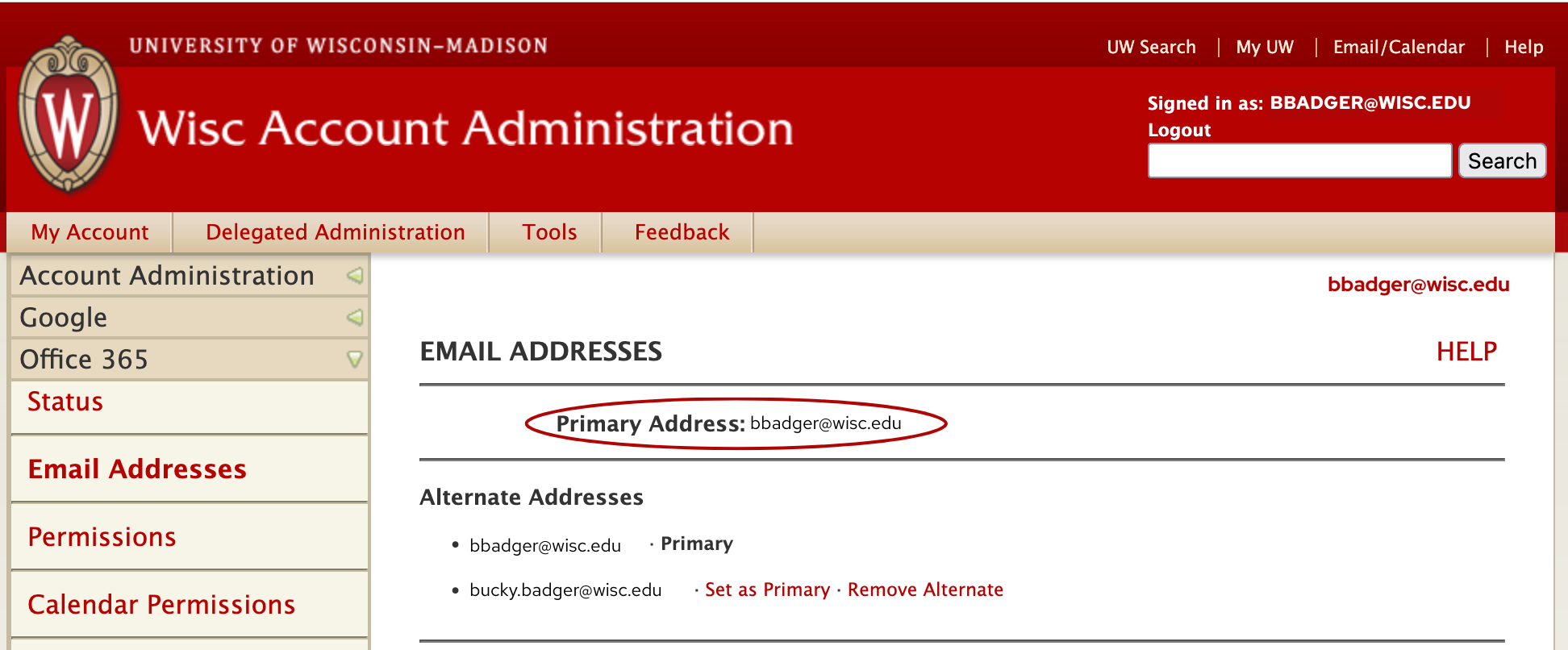
If you don’t see tickets you know you submitted, log out of Navigator and then log back in using your primary email address – which you can find here.
Please email help@med.wisc.edu to report this issue and a member of the help desk team will work with you to get this resolved.