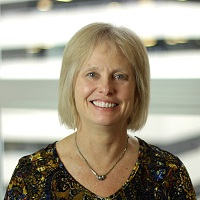
 “I like that everything is tracked in one place, and the responses are faster.” — Carol Hulland on learning SMPH Navigator
When SMPH departments transitioned to unified IT services, many staff who use IT services needed to shift to new processes and systems to get support. For longtime Administrative Manager and Faculty Development Program Manager Carol Hulland in Obstetrics and Gynecology, that shift included learning to use Navigator, the school’s unified service request platform.
Carol’s first experience with Navigator came with some hesitation.
“Whenever a new software system shows up, my first thought is, ‘Is this real? Do I really need this?’” she explained. She said she backed twice out of the setup before she found the guidance document about getting started with Navigator and needing to set up an Atlassian account, at which point she says, “I decided to just go for it.”
Once she got through the hurdle of first access, she quickly saw benefits of having one, unified system that allows for broad coverage of support needs.
When Carol submitted her first request she expected a delay because she knew that the IT person she was used to working with from ObGyn was out of the office. But instead, another IIT team member picked up the request within hours and resolved everything in the same day.
“That’s when I realized, oh, this really works well,” she said.
Since that first request, Carol has submitted seven tickets, all with timely, accurate responses. “Every time I’ve used Navigator, the turnaround has been great. Once I understood how to get in, it’s been really smooth.”
She now sees Navigator as an important part of how SMPH supports staff during ongoing technology consolidation.
“Before, I would email our ObGyn IT folks directly. It did take a minute for my brain to stop going directly to that. But I bookmarked the Navigator portal and now, I just have to remember to use my Navigator bookmark, instead of email. I like that everything is tracked in one place, and the responses are faster. It’s a big improvement for the school as a whole.”
For staff who still feel unsure about trying Navigator, Carol’s message is simple:
“Just try it. Once you’re in, you see how easy it is. The response rate is really good, and it saves time for everyone — including our IT staff, who we all know are stretched thin.”
As she prepares for retirement later this year, Carol laughs about her early hesitation.
“If I can figure it out,” she said, “anyone can.”
Have you had success with Navigator?